
Ludifica Dates
Your event's parallel agenda, made by the people in the room.
Attendees propose short conversations about what they want to talk about, and others take a seat. In minutes there is a programme of small sessions, with times, tables and seat limits, on every phone and on the big screen.
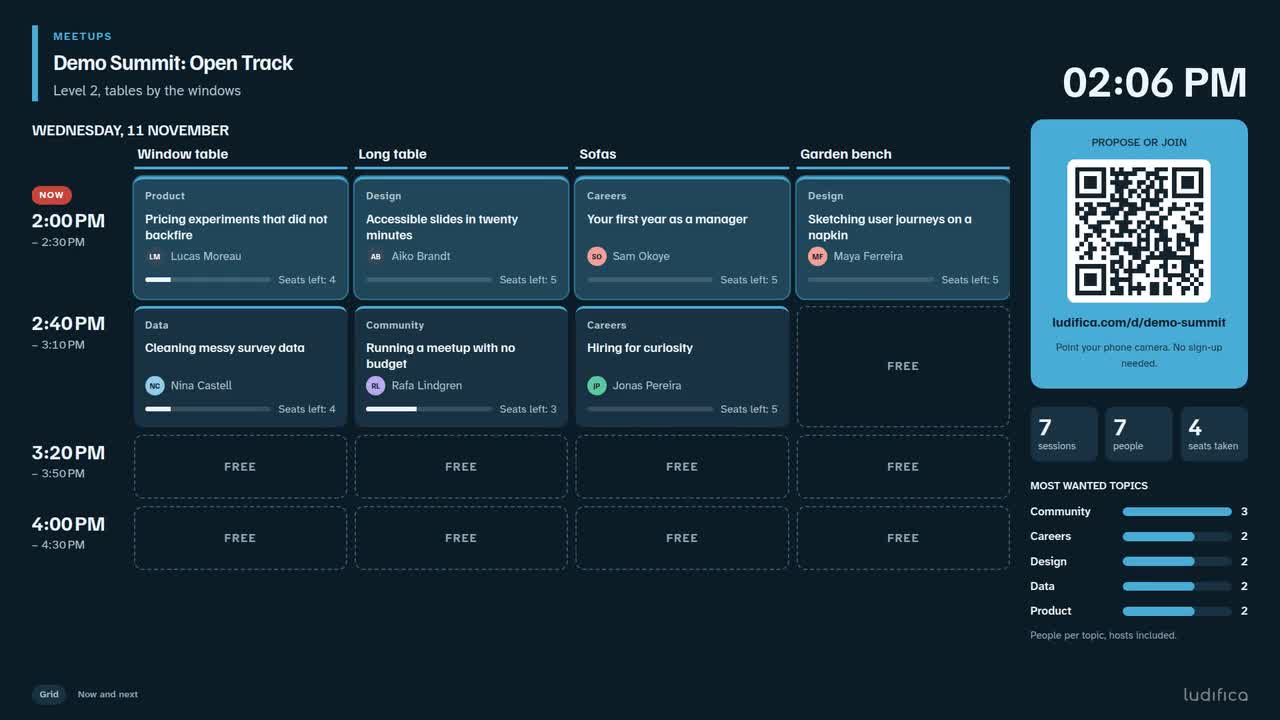
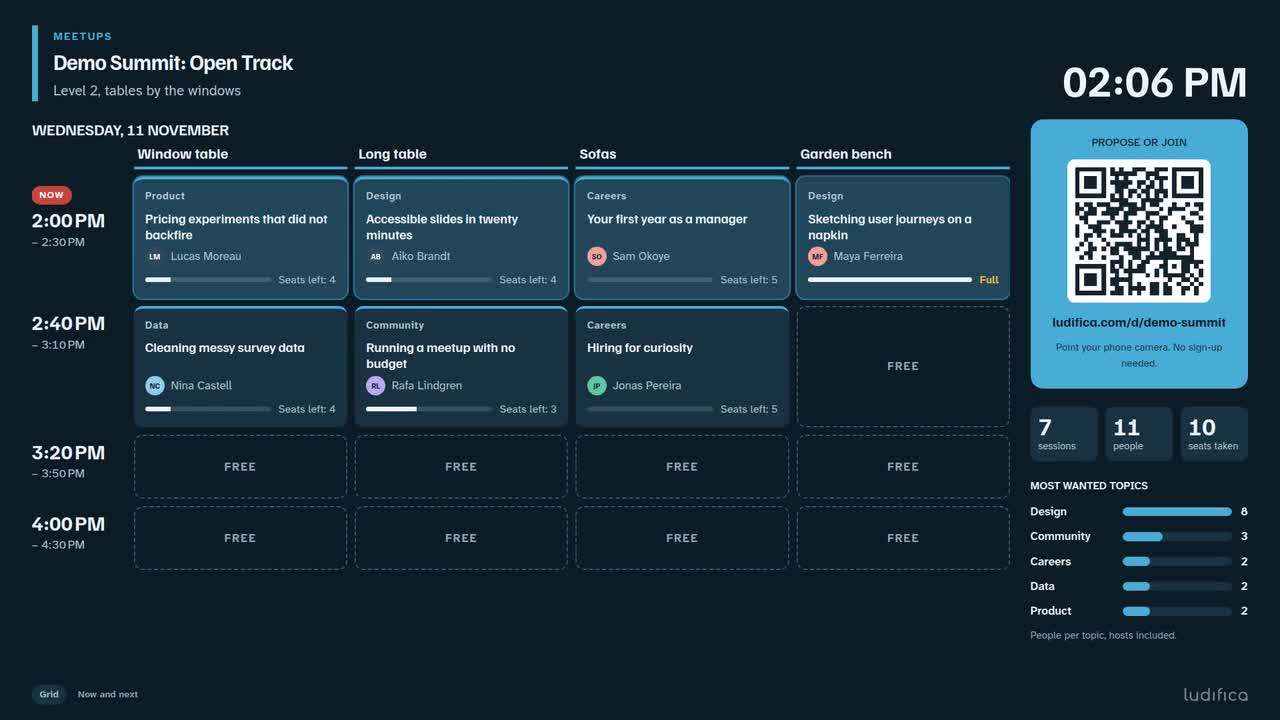
The big screen, recorded in the product: people join from their phones and the seats count down until a table is full.
From one idea to a full table
Three recordings of the real product, on the screens where it happens. Pick a step to jump to that moment.
-
Someone proposes
Maya scans the QR code, types the name she wants others to see and writes her proposal: a title, a line about it, a topic, a time and a place. It is on the board right away.
-
Others take a seat
Theo browses the agenda and joins Maya's table. Three more people do the same and the table is full. Sessions at the same time are marked as a clash, so nobody ends up in two places at once.
-
The organiser keeps it tidy
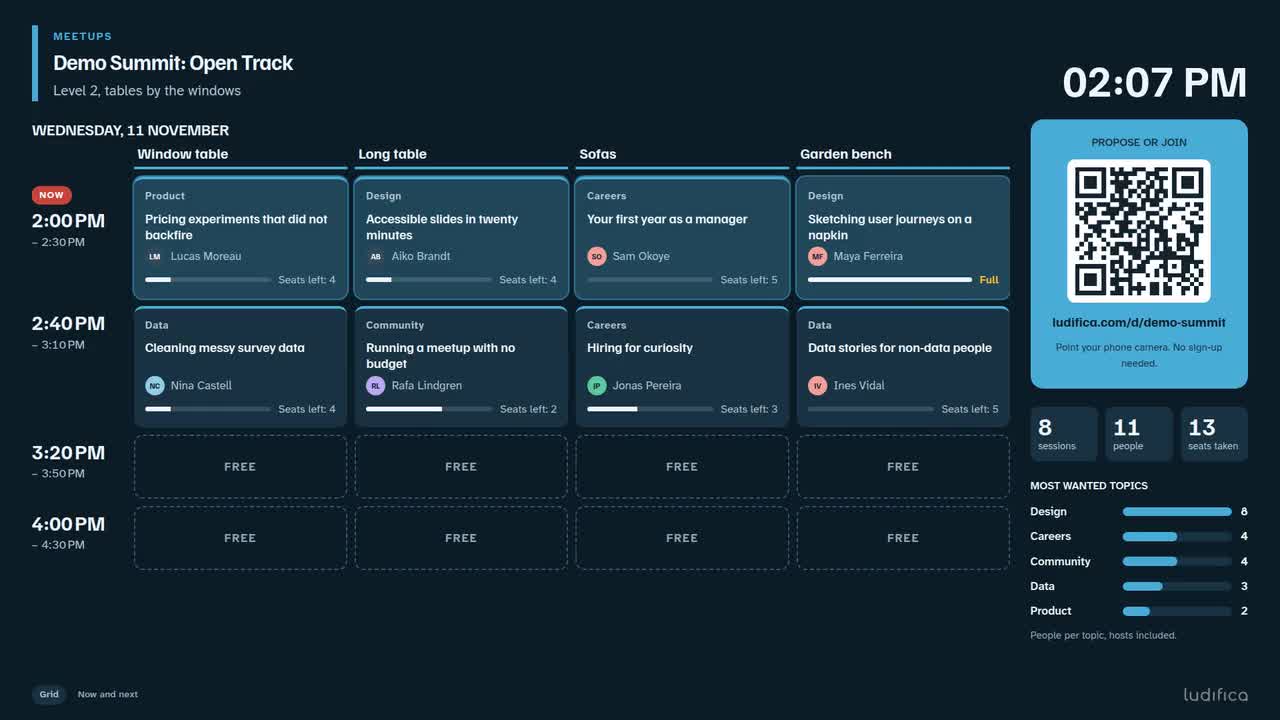
With approval switched on, new proposals wait for a yes. One click puts a session on the big screen. At the end the whole agenda prints on paper or downloads as a spreadsheet.
Three screens, one agenda
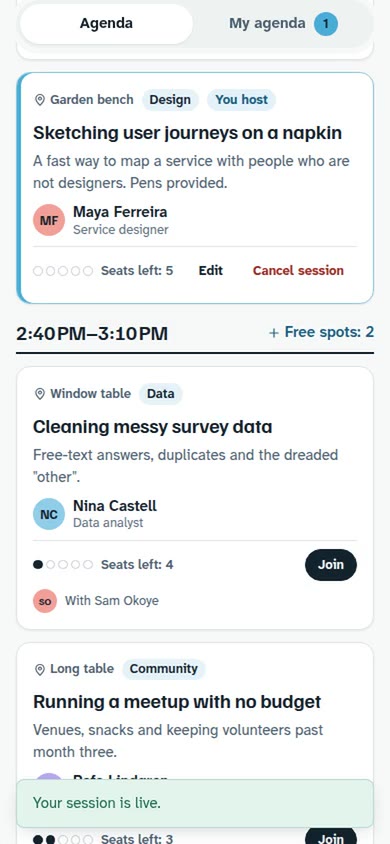
Everything updates live. When someone takes a seat on their phone, the other screens show it within a couple of seconds.
-
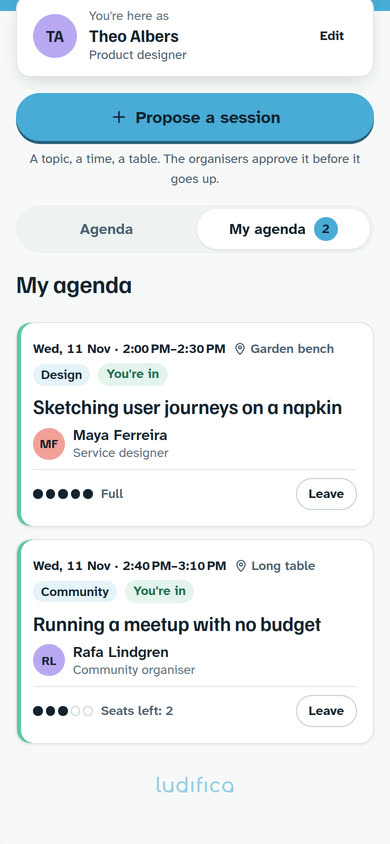
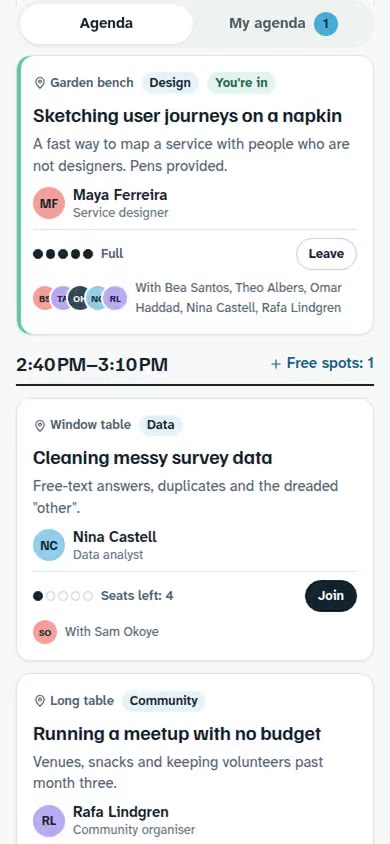
On every phone
- Propose a session, edit it or cancel it
- Join or leave with one tap
- Filter the agenda by day and topic
- My agenda: what you host and what you joined
-
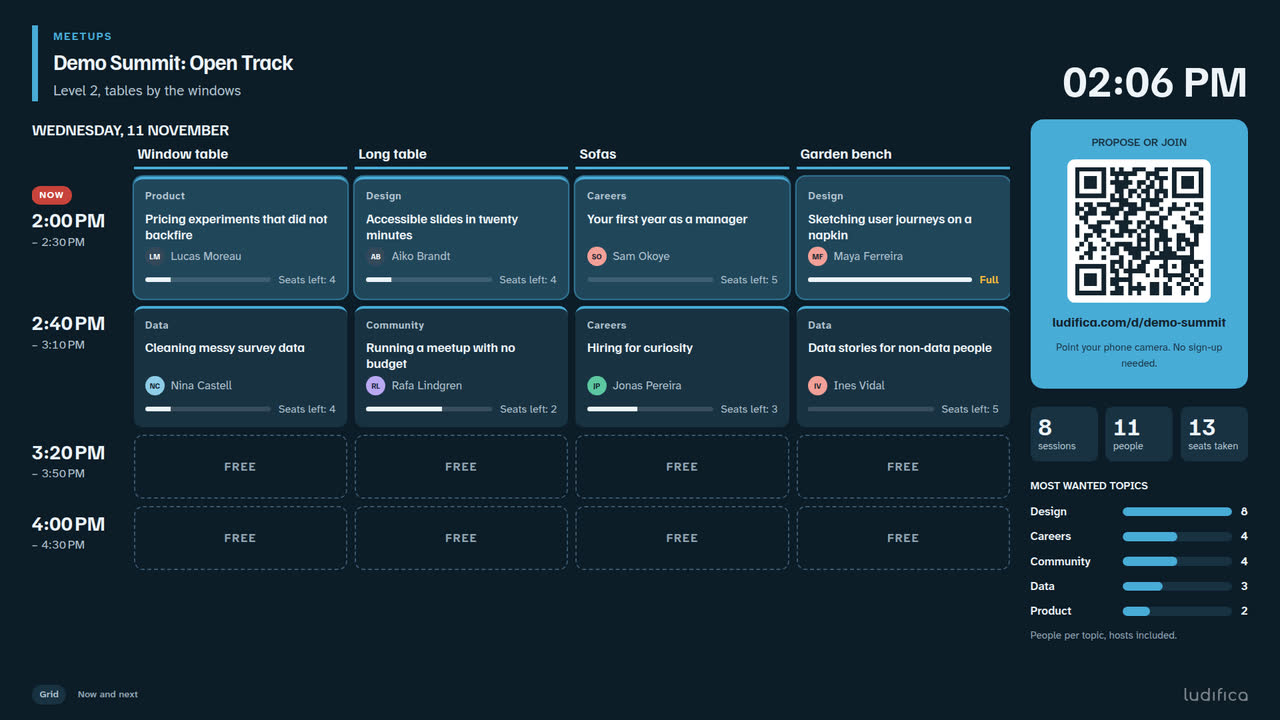
On the big screen
- What is on now and what comes next
- Seats left in every session
- The QR code and a short link to join
- The most wanted topics
- A programme grid of times and places
-
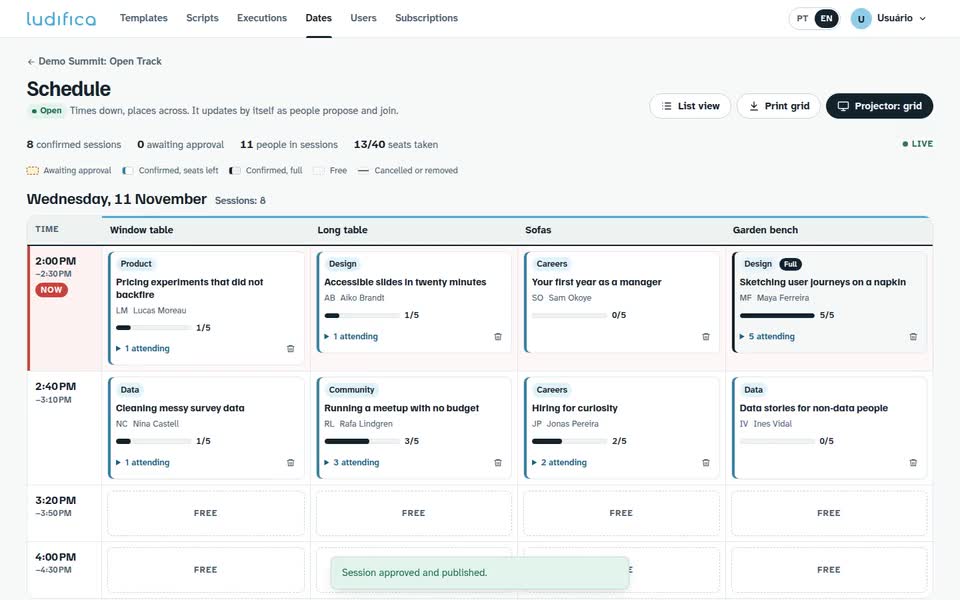
For the organiser
- Approve or decline proposals
- Remove a session, add times and places
- Close proposals, or close the board
- Export a CSV and print the agenda
You set the frame. The room fills it.
A board takes a few minutes to set up. These decisions are yours.
- Days and times
- Up to seven days. For example 2 to 5 pm, 30-minute sessions with 10-minute breaks.
- Places
- Tables, rooms, corners. Each place holds one session per time slot.
- Seats per session
- Up to 50. Whoever proposes can offer fewer.
- Topics
- Your own list, so people can filter the agenda.
- Approval
- Off: a session goes live at once. On: you approve each one.
- Proposals per person
- Up to ten open at a time.
- Colour
- Your event's colour on the phones and on the big screen.
What you keep
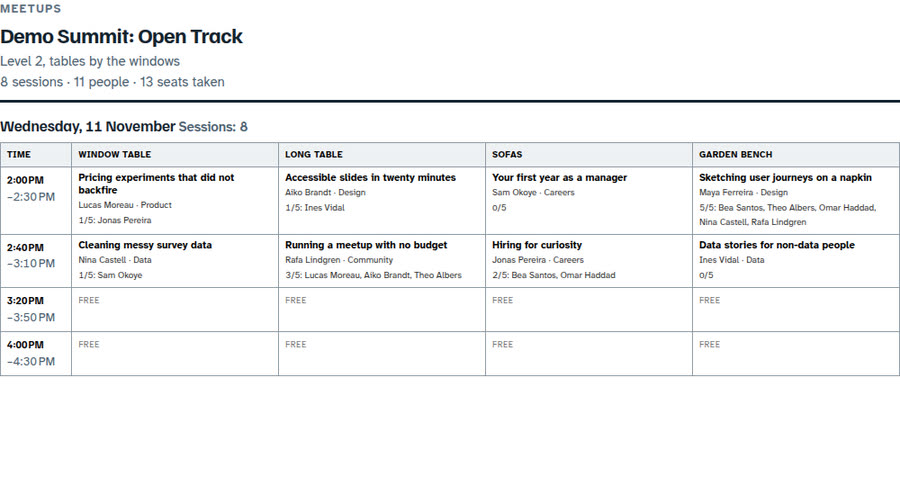
- A printable agenda: one table per time slot, with who hosts and who joined.
- A CSV with every session and seat, ready for a spreadsheet.
- A closed board stays readable, so the agenda is still there afterwards.
Where it fits
Anywhere people came to meet each other, not only to listen.
-
Conference hallway track
Example session: What we learned shutting down a product
4 of 6 seats taken
-
Company offsite, open-space afternoon
Example session: Fewer meetings: what actually worked
7 of 8 seats taken
-
Community meetup
Example session: Your first open-source contribution, step by step
3 of 5 seats taken
-
Hackathon mentoring tables
Example session: Ten minutes on your pitch
2 of 3 seats taken
-
University welcome week
Example session: Surviving the first exams
9 of 12 seats taken
The small print
- No account, no app
- Attendees open a link in their phone's browser. Any recent phone will do.
- Names are public on the board
- The display name and the optional one-liner are visible to everyone with the link. Each person decides what to write.
- One browser, one person
- People are recognised by their browser, not by a login. Switching phones means starting a new profile.
- Rules you don't have to police
- A place holds one session per time slot, a full session takes no one else, and nobody can be in two sessions at the same time.
- What it does not do
- No calendar invites and no automatic recommendations. People choose; the board keeps it straight.
Give your event a second agenda
We are opening access gradually. Join the waitlist and tell us about your event.
Rather talk first? Write to contato@ludifica.com